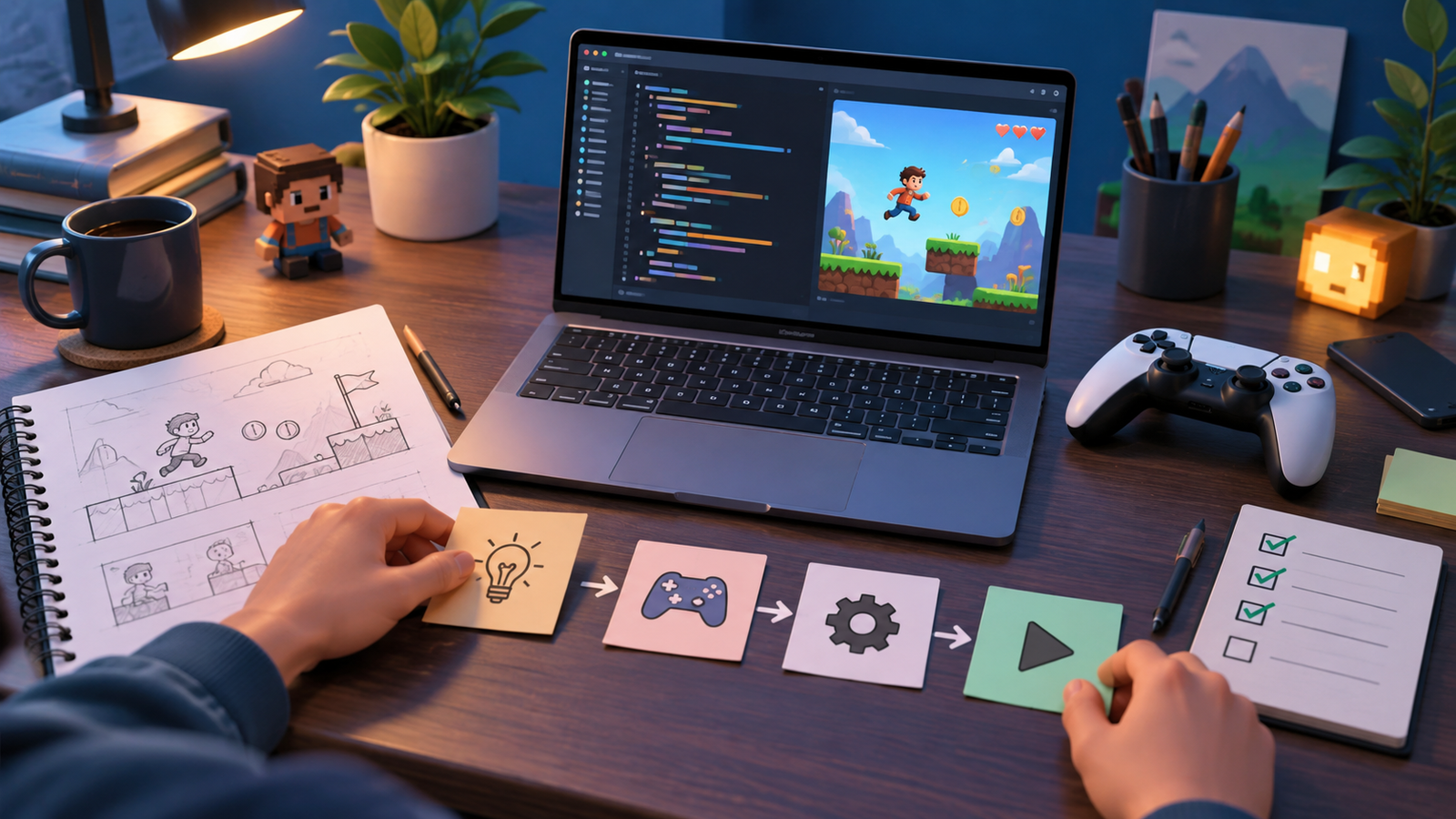
Learning how to make a game has never been more approachable than it is today. If you have ever finished a level, imagined your own world, or sketched a character on the back of a notebook, you already have the spark you need. In 2026, free tools, open documentation, and huge online communities mean that a complete beginner can go from zero to a playable prototype in a single weekend. This beginner’s guide walks you through the entire journey, from picking your first idea to publishing something other people can actually play.
The most important mindset shift is this: making a game is not one giant task, it is a stack of small, learnable skills. You do not need a computer science degree, a big budget, or a team. You need curiosity, a bit of patience, and a plan. Let’s build that plan together.
What You Actually Need to Start
Before you write a single line of code or drag a single sprite, it helps to know the ingredients that go into every game, no matter how simple.
- A computer that can run a modern game engine. A mid-range laptop or desktop from the last few years is plenty. You do not need a high-end rig to start prototyping.
- A game engine, which is the software that handles graphics, physics, input, and sound so you do not have to build those systems yourself.
- Basic art and audio assets, which you can create yourself, download from free asset libraries, or use as simple placeholder shapes while you learn.
- A small, finishable idea. This is the ingredient beginners most often skip, and it is the one that matters most.
If you want to understand the hardware side more deeply, our guide to the best gaming laptops in 2026 breaks down what specs genuinely matter for both playing and developing games.
Step-by-Step: How to Make Your First Game
Here is the exact sequence I recommend for a first-timer. Follow it in order and resist the urge to jump ahead.
- Pick a tiny idea. Think “a ball that bounces and collects coins,” not “an open-world RPG.” Your first project should be finishable in a few days.
- Choose a beginner-friendly engine. Godot, Unity, and GameMaker are all excellent starting points. We compare them in depth in our roundup of the best game engines for 2026.
- Install the engine and open a template. Most engines ship with sample projects. Open one, press play, and see how it is put together.
- Get one thing moving. Make a character move left and right with the keyboard. This single win teaches you input handling, the core loop, and how the engine thinks.
- Add a goal and a fail state. A game needs a reason to keep playing. Add coins to collect or a timer that runs out. Now you have a real game loop.
- Add sound and simple art. Even basic beeps and colored rectangles make a prototype feel alive.
- Playtest and polish. Hand it to a friend. Watch where they get confused. Fix the roughest edges.
- Export and share. Every major engine can export a playable build. Publishing even a tiny game is a huge milestone.
Understanding the Game Engine
A game engine is the beating heart of your project. It provides a rendering system to draw graphics, a physics system for movement and collisions, an audio system for sound, and a scripting layer where you define your rules. Instead of reinventing these systems, you focus on what makes your game unique.
Scenes, objects, and scripts
Nearly every engine organizes games into scenes (a level or menu), which contain objects (a player, an enemy, a coin), which have scripts attached (the code describing behavior). Once this pattern clicks, you can read and understand almost any engine’s tutorials.
Do You Need to Learn to Code?
Coding gives you the most control and is worth learning, but it is not the only path. Visual scripting tools let you build logic by connecting nodes instead of typing. If code feels intimidating right now, start with our guide on how to make a game without coding in 2026, then come back to programming when you are ready. When you do decide to learn a language, our overview of the best programming languages for game development shows you where each one shines.
Comparing Beginner Paths
| Path | Best For | Learning Curve | Cost |
|---|---|---|---|
| Godot + GDScript | Beginners who want to learn real coding for free | Gentle | Free, open source |
| Unity + C# | Aspiring pros and mobile developers | Moderate | Free tier available |
| GameMaker | 2D games and quick prototypes | Gentle | Free tier available |
| No-code tools | Absolute beginners and designers | Very gentle | Free tiers available |
Common Beginner Mistakes to Avoid
- Starting too big. Ambitious first projects almost always get abandoned. Finish something small first.
- Perfecting art before gameplay. Fun comes from mechanics, not visuals. Use placeholders early.
- Never finishing. A completed tiny game teaches you more than ten unfinished big ones.
- Skipping playtesting. You cannot see your own game clearly. Fresh eyes are gold.
- Comparing your day one to someone else’s year ten. Everyone started with a bouncing square.
Where to Learn More
The best free resources in 2026 include official engine documentation, the built-in tutorials that ship with each engine, and community forums where beginners ask questions every day. Video tutorials are great for seeing the workflow, while written docs are better for reference. Alternate between building and learning so knowledge sticks. If you are also assembling a workspace for development, our walkthrough on how to build a gaming PC in 2026 can help you put together a capable machine on a budget.
Frequently Asked Questions
How long does it take to make a first game?
A very simple game, like an arcade collector or a basic platformer, can be built in a weekend once you know your engine. Learning the engine itself typically takes a few weeks of casual practice. The key is starting small so you reach a finished product quickly.
Do I need to be good at math to make games?
Basic arithmetic and a comfort with coordinates help, but you do not need advanced math for most 2D games. Engines handle the heavy calculations. As you tackle 3D or physics-heavy projects, a little vector math becomes useful, and you can learn it as you go.
Is it free to make a game?
Yes. Godot is completely free and open source, and Unity, Unreal Engine, and GameMaker all offer free tiers that are more than enough for beginners and hobbyists. Free asset libraries cover art and sound, so you can build a complete game without spending anything.
Should I learn to code or use no-code tools first?
Either works. If you enjoy logic and want maximum control, dive into coding with a friendly language like GDScript or C#. If you want to see results fast or focus on design, start with visual scripting or no-code tools and add programming later.
What kind of game should a beginner make?
Start with a genre that has simple, well-understood rules: a 2D platformer, an arcade shooter, a puzzle game, or a top-down collector. These teach the fundamentals of movement, collision, scoring, and win conditions without overwhelming you.
Final Thoughts
Knowing how to make a game comes down to one honest truth: you learn by making. Every professional developer started exactly where you are now, with a blank project and a small idea. Pick your engine, build the smallest thing that could possibly be fun, and finish it. Then do it again, a little bigger. Ready to take the next step? Explore more tutorials and gear guides on ProgramGeeks Game, choose your engine today, and start building the game only you can make.